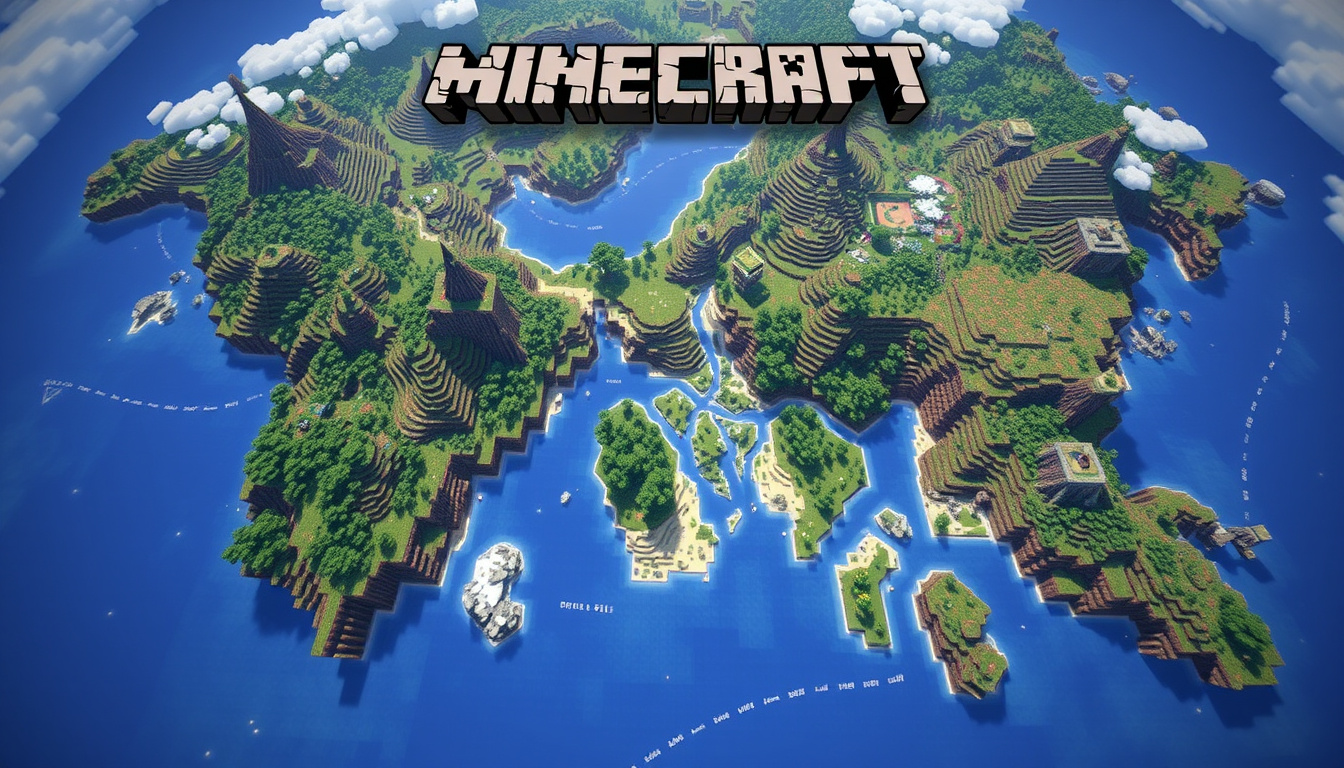
You’ve found a seed number online and want to know exactly what’s around your spawn point before committing to a world. Seed maps let you do exactly that — pan across terrain, mark villages, and preview biomes without loading the game. Here’s how to pick the right tool for your edition and use it to find the best spawns.
Top Tool: Chunkbase Seed Map ·
#2 Viewer: mcseedmap.net ·
#3 Finder: seeds.gg ·
Blog Guide: recharge.com
Quick snapshot
- Seed maps visualize biomes, villages, temples, and strongholds pre-generation (Chunkbase)
- Exact usage volumes for individual seed map tools are not publicly available
- Beebom published an updated list of 40 seeds for both editions in April 2026 (Beebom)
- Version 1.21 seed maps now track trial chambers alongside traditional structures (Minecraft & Chill)
| Field | Value |
|---|---|
| Primary Use | Locate biomes and structures |
| Top Site | www.chunkbase.com/apps/seed-map |
| Editions Supported | Java and Bedrock |
| Structures Shown | Villages, temples, strongholds, trial chambers |
| Free Access | Yes — no downloads required |
| Special Feature | Slime chunk location for potion brewing |
Minecraft Seed Map Bedrock
Bedrock Edition runs on Xbox, PlayStation, Nintendo Switch, and Windows 10/11, and seed maps handle all of them. The terrain a seed generates on Bedrock matches what you’d see on Java, but structures like villages spawn differently — so a map view tells you what exists, not exactly where the village will appear on your platform.
Supported Features
- Biome and terrain estimation for the Overworld, Nether, and End
- Structure markers for villages, temples, strongholds, and trial chambers
- Biome highlighter overlay to identify specific environments at a glance
- Version-specific seed maps that account for Bedrock 1.18 through 1.21 differences
- Mobile-friendly touch controls for checking seeds on the go
Seed maps like mcseedmap.net support touch-friendly interfaces, letting you pan and zoom directly from a phone browser. The same seed behaves identically on terrain but structure placement varies per edition — an important distinction when planning a village-based base.
Tynker recommends Chunkbase or MineAtlas specifically for finding structures before you commit to building — saving hours of exploration time on wrong seeds.
How to Use for Bedrock Worlds
- Open the seed map tool and select Bedrock as your edition
- Enter the seed number and set your target version (1.18–1.21)
- Navigate the map to locate desired biomes and structures
- Save the position or bookmark the link for reference in-game
The key is matching the version selector in the tool to your actual Bedrock version. Seeds from version 1.18 may display differently on 1.21 due to changes in structure spawning rules — Tynker notes that world generation changes with updates, so an old seed may look different in a newer version.
Minecraft Seed Map Free
Several free online tools let you explore seeds without installing anything. The trade-off is that free tools rely on estimation algorithms — they’re accurate for terrain and major structures but won’t capture every minor detail that Minecraft’s generator produces.
Top Free Tools
- Chunkbase Seed Map — online viewer, no downloads, covers Java and Bedrock, shows slime chunks for potion brewing optimization
- mcseedmap.net — includes a seed finder, pan/zoom controls, and End/Nether dimensions alongside Overworld
- Seeds.gg — visual map viewer with version selector and edition support for both Java and Bedrock
- SeedLander — free viewer displaying over 40 structures including villages, temples, and strongholds
- seedmap.app — 3D preview option with exact coordinates for both editions
Limitations of Free Viewers
- Structure positions are estimated, not generated by Minecraft itself
- Small features like ore veins and animal spawns aren’t displayed
- Older seeds may render incorrectly on newer versions due to generation changes
- Some tools limit free daily queries or feature access
The implication: free tools work well for finding major landmarks like villages and strongholds, but don’t rely on them for precise building coordinates or rare mob spawn data.
Chunkbase processes over biomes and structures for free, but doesn’t generate the world — it estimates based on Minecraft’s known algorithms. For exact placement, you’ll still need in-game verification.
Minecraft Seed Map Java
Java Edition has the most mature seed map ecosystem, partly because Java’s world generation is the reference implementation that Bedrock ports from. All major tools prioritize Java feature support, and Java seeds tend to have more community verification behind them.
Java-Specific Features
- Accurate slime chunk identification for efficient gold farm construction
- Nether fortress and End city mapping not always available on Bedrock tools
- Full biome rendering including specialized variants like lush caves and cherry groves
- Structure clustering data for identifying optimal village chains
- Version-specific filters for Java 1.20, 1.19, 1.18, and earlier releases
Integration with Java Worlds
To find a seed in Java, open chat with commands enabled and type /seed — the number that appears can be entered directly into any seed map viewer to preview your world. Beebom’s April 2026 seed list includes specific spawn biome data for each entry, making it easier to identify which seeds match your preferred starting environment.
ScalaCube’s seed database shows how Java seeds translate across editions. Seed 1920597801723635057 spawns as a Fungal Ocean Island — serene for building, challenging for early resources. The same seed produces identical terrain on Bedrock, but structure placement diverges at the village level.
Java’s /seed command displays the numeric code in chat, but the format differs from Bedrock’s hash-based system. Some seeds work across editions; others are edition-specific and won’t produce the same results when imported.
Tynker recommends using seed maps to locate features before building, which helps avoid hours of wasted exploration on seeds that don’t match your goals.
— Tynker (Minecraft Seed Guide)
Seed Map Minecraft PE
Pocket Edition (now called Minecraft Bedrock) shares the same codebase as console and PC Bedrock, meaning seed maps designed for Bedrock work for PE. The limitation is screen size — mobile apps handle seed browsing less comfortably than desktop browsers, though several tools have optimized touch controls.
Mobile-Compatible Apps
- mcseedmap.net — touch-friendly interface with pinch zoom and position saving
- Chunkbase — responsive design works on mobile browsers, no dedicated app needed
- Seeds.gg — lightweight mobile interface with version selector
PE Edition Setup
- Copy the seed number from a community source or your existing world
- Open the seed map in your mobile browser — Chrome, Safari, and Firefox all render the tools correctly
- Select Bedrock Edition and the matching version (1.18–1.21)
- Navigate to your desired coordinates and note them for in-game travel
Minecraft & Chill’s 2026 seed collection records Bedrock 1.21 seeds that work on Xbox, PlayStation, Nintendo Switch, Pocket Edition, and Windows — confirming cross-platform seed portability. Terrain remains consistent across these platforms; structure generation varies, so PE users should check village placement separately.
These Minecraft Seeds were all recorded on Minecraft Bedrock Edition 1.21. Therefore, they will work on all Minecraft Bedrock Edition platforms.
— Minecraft & Chill (YouTube)
Minecraft Seed Map 1.21
Version 1.21 introduced trial chambers as a new structure type, and seed maps have updated to include them. Trial chambers appear in ancient city chunks and contain trial spawners — useful for early-game equipment if you know where to look.
Version 1.21 Compatibility
- Chunkbase updated its map renderer to include trial chamber markers
- mcseedmap.net supports version 1.21 with updated structure data
- Beebom’s April 2026 list specifically highlights 1.21 Bedrock seeds
- Seeds from earlier versions (1.18–1.20) may display trial chambers incorrectly if the map tool hasn’t been updated
New Structures in 1.21
- Trial chambers — multi-room structures with conditional spawners for specific player counts
- Breeze mob — new hostile entity found near trial chambers
- Vault blocks — loot containers requiring trial to unlock
- Updated strongholds with adjusted library layouts
The pattern: seed maps lag 1–3 weeks behind Minecraft updates when new structures appear. If you’re exploring a 1.21 seed and don’t see trial chambers marked, the map tool may not have updated yet — check the tool’s version notes before assuming the structure doesn’t exist.
Seed 8120000002348945110 appears in top 2026 seed lists for Minecraft 1.21 Bedrock, but community verification varies. Cross-reference with multiple sources before committing to a world.
Modded Minecraft Seed Maps
Modded Minecraft introduces custom biomes, structures, and world generation rules that standard seed maps cannot predict. The official Minecraft biome system provides the foundation, but mods that add new terrain generation require either mod-specific viewers or in-game exploration.
What Works with Mods
- BiomeBase — some mod packs have community-built map viewers that extend Chunkbase-style data
- World pre-generation tools — Chunk Pregenerator and C2ME plugins render worlds with modded biomes, functioning as seed previewers for technical users
- In-game mapping mods — Xaero’s World Map and JourneyMap display actual generated terrain, which is more reliable than estimation tools for modded worlds
- Database seeds — Wisehosting maintains a seed database that includes mod-friendly seeds for popular modpacks
The limitation: modded biomes use algorithms outside Minecraft’s base code, so estimation-based seed maps won’t render them accurately. Use in-game map mods or pre-generation for modded world planning.
For modded Minecraft, generate a small area first to confirm the seed behaves as expected, then expand using world pre-generation tools rather than relying on pre-view maps.
How to Use a Minecraft Seed Map
Whether you’re using Chunkbase, mcseedmap.net, or another tool, the process follows the same steps. Here’s how to get from seed number to located village in under five minutes.
- Find your seed number — either copy one from a community list like Beebom or ScalaCube, or open Minecraft and type
/seedin chat to display your current world’s seed - Open a seed map tool — Chunkbase, mcseedmap.net, Seeds.gg, or SeedLander work well for both editions
- Select your edition and version — choose Java or Bedrock, then set the version number (1.18 through 1.21)
- Enter the seed number — paste the numeric code into the input field and press Enter or click the render button
- Navigate the map — use pan and zoom to explore biomes and locate structures at specific coordinates
- Bookmark or save the coordinates — note the X, Y, Z values for in-game travel, or bookmark the URL to revisit the exact map position
- Enter the world and travel — use
/tpcommands or manual navigation to reach your marked locations
For slime chunk farming specifically, Chunkbase offers a slime chunk overlay that highlights 10×10 chunks with a 50% spawn chance. This saves significant time over in-game exploration — particularly useful for gold farm construction where slime balls are a key ingredient.
Minecraft & Chill notes that terrain generation stays consistent between editions, but villages spawn differently. Use the map to identify the biome, then verify village positions on your specific platform.
Related reading: Attractions Near Me · Westfield Near Me
mcseedmap.net, scalacube.com, minecraftforum.net, seedlander.com, youtube.com, youtube.com, youtube.com, seedmap.app
International players often turn to a Norwegian seed map guideNorwegian seed map guide for tips on scouting biomes and structures before generating worlds in Java or Bedrock.
Frequently asked questions
How do I enter a seed into a Minecraft seed map?
Open the seed map tool in your browser, select your edition (Java or Bedrock) and version, then paste the numeric seed code into the input field. Most tools render the map within seconds. For existing worlds, use /seed in chat to find your current seed.
Can Minecraft seed maps show slime chunks?
Yes. Chunkbase provides a slime chunk overlay that highlights 10×10 chunks with a 50% spawn chance for slimes. This is useful for gold farm locations and potion brewing optimization.
What is the difference between Java and Bedrock seed maps?
The terrain from a seed appears identically on both editions, but structure placement varies. Villages, temples, and other generated structures spawn at different coordinates on Bedrock versus Java. Use the map for terrain reference, then verify structure positions on your specific platform.
Are Minecraft seed maps accurate for all versions?
Tools like Chunkbase and mcseedmap.net update when Minecraft releases new versions. Older seeds may display incorrectly on newer versions if the tool hasn’t been updated to match the new generation algorithm. Always check that your map tool matches your game version.
How to find villages on a seed map?
Enter your seed, select your edition and version, then look for the village marker in the structures panel or legend. Navigate to the village coordinates and note them for in-game travel. Remember that Bedrock places villages differently than Java — the map shows one edition’s placement, not necessarily yours.
Do seed maps work for custom worlds?
Yes. Custom worlds use seeds just like generated worlds. Enter any custom seed into a map tool, and it will render the terrain and structures as predicted by Minecraft’s algorithm. Custom biome settings or datapacks may alter the actual result.
What browsers support online seed maps?
Chrome, Firefox, Safari, and Edge all render seed maps correctly. Mobile browsers work for on-the-go checking, though desktop browsers offer better zoom precision for locating specific coordinates.
Do modded Minecraft seed maps exist?
Standard seed maps rely on Minecraft’s base generation algorithms, so they cannot predict custom biomes or structures from mods. Use in-game mapping mods like Xaero’s World Map or JourneyMap for modded worlds, or pre-generate small areas first to verify seed behavior.

Thomas Grant leads fact-checking, source verification and corrections at Australian Insight.